
People often use the terms IPTV and internet TV as if they meant the same thing. They are close, but not identical, and the difference changes what you pay and what you can watch. This guide on IPTV vs internet TV explains both in plain words and helps you choose.
Key takeaways
- Both IPTV and internet TV travel over your broadband connection.
- IPTV feels like cable: a full list of live channels, zapping and a TV guide.
- Internet TV usually means separate apps, each with its own content and price.
- Mom IPTV combines both: live channels plus a large on-demand library, testable with a free 24-hour trial.
Table of Contents
What Is IPTV?
IPTV stands for Internet Protocol Television. It delivers TV channels as a continuous stream over an IP network. You open a player, choose a channel from a list and it plays live, just like on cable or satellite. Most IPTV services also include an electronic program guide (EPG), catch-up and a library of movies and series.
The term first described TV services that telecom companies sent over their own managed networks. Today it also covers subscription services such as Mom IPTV that stream over the open internet to any device. For background, see the Wikipedia article on IPTV.
What Is Internet TV?
Internet TV is a wider, looser term. It covers any television content you watch over the internet: broadcaster catch-up players, free ad-supported channels, live streaming apps and subscription video services. Each one usually lives in its own app, with its own account and its own menu.
Some people also call this OTT, short for “over the top”, because it rides on top of a normal internet connection. You can learn more about it on Wikipedia’s OTT page.
IPTV vs Internet TV: The Key Differences
Here are the six differences that matter in daily life.
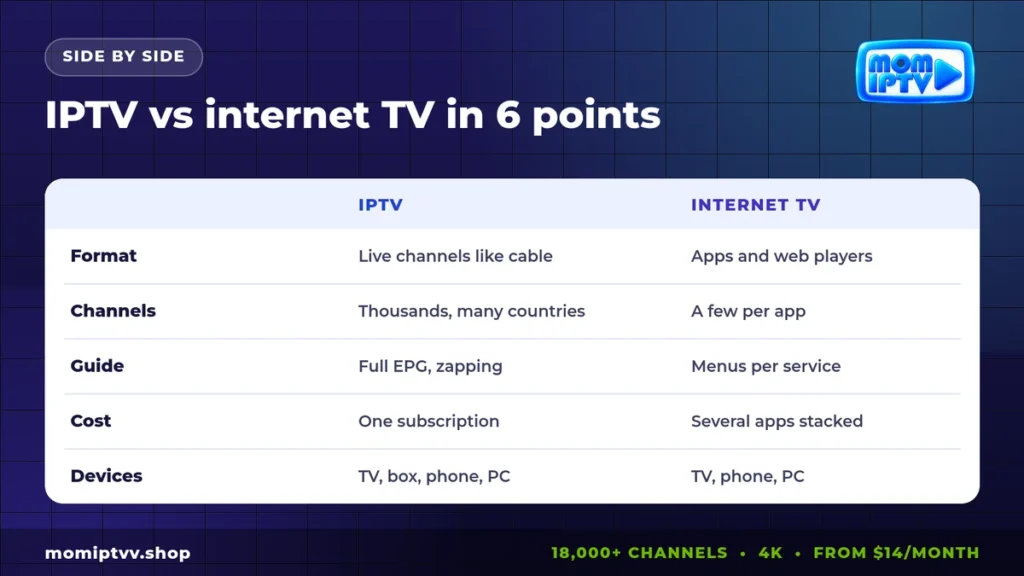
| Point | IPTV | Internet TV |
|---|---|---|
| How you watch | One player with every channel | Several apps and websites |
| Live channels | Thousands, organized by country and category | A few per app, often limited |
| TV guide | Full EPG and zapping between channels | Separate menus for each service |
| On-demand | Large library included | Each app has its own catalogue |
| Cost | One subscription | Many subscriptions add up |
| International TV | Channels from many countries together | Mostly limited to your region |
1. The viewing experience
IPTV gives you the classic TV feeling: press up or down to change channel, open the guide to see what is on, and record or replay on supported channels. Internet TV feels more like browsing a website, where you search and choose titles one by one.
2. The number of channels
An IPTV subscription can include thousands of channels in one place. Mom IPTV includes 18,000+ live channels from 98+ countries. streaming apps usually offer a handful of live channels each, if any.
3. The way you pay
With IPTV you pay one price for everything. With internet TV, the content is split between many services, and costs grow quickly when you add a sports app, a film app and a kids app.
4. Sports coverage
Sports rights are spread between many broadcasters. Following several leagues with streaming apps can mean four or five subscriptions. IPTV brings sports channels together in one list. See our guide to the best IPTV for sports for details.
5. International channels
streaming apps often block content outside their country. IPTV services designed for a global audience let you watch channels from home while you live abroad.
6. Picture quality
Both can deliver HD and 4K. Quality depends on the provider’s servers, your speed and your device more than on the label.
Pros and Cons of IPTV
Pros
- Huge choice of live channels in one place.
- Real TV experience with EPG and zapping.
- One low monthly price.
- Works on Smart TVs, Firestick, Android, iPhone, PC and MAG boxes.
Cons
- Needs a stable connection, ideally 25 Mbps for 4K.
- Quality varies a lot between providers, so test first.
- You must set up a player app once.
Pros and Cons of Internet TV Apps
Pros
- Easy to install from any app store.
- Polished menus and original series.
- Some free, ad-supported options.
Cons
- Content is split across many apps.
- Costs add up when you stack services.
- Few live channels and limited international content.
Which One Should You Choose?
The answer depends on how you watch.
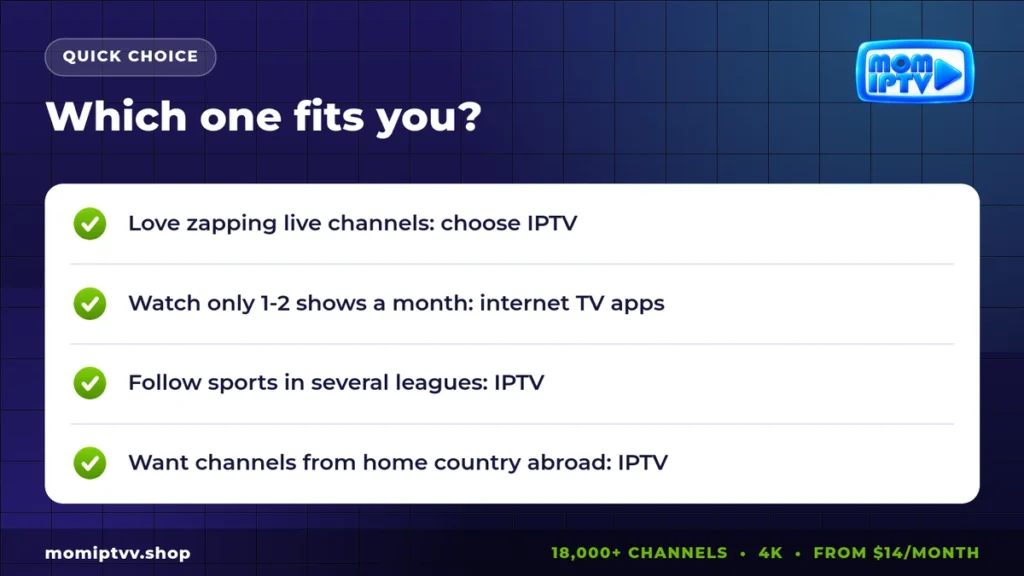
- Choose IPTV if you like live TV, follow sports, watch channels from several countries or want one bill for everything.
- Choose streaming apps if you only watch a few series from one platform and never zap between live channels.
- Combine both if you want live TV from IPTV and keep one favorite app for its own shows.
If you are coming from a dish, also read our comparison of IPTV vs satellite TV.
What You Need to Start With IPTV
- An internet connection of at least 10 Mbps for HD (25 Mbps for 4K).
- A device: Smart TV, Firestick, Android box, phone, tablet or computer.
- A player app such as IPTV Smarters Pro or TiviMate.
- A subscription with an M3U link or Xtream Codes login.
Our step-by-step setup guide shows how to install everything on each device in a few minutes.
How Much Data Do IPTV and Internet TV Use?
Video uses the same amount of data whatever the service. Plan on about 1 GB per hour for SD, 2 to 3 GB per hour for HD and around 7 GB per hour for 4K. If your internet plan has a data cap, choose HD instead of 4K for everyday viewing.
Live channels plus on-demand: try Mom IPTV free
18,000+ live channels, 121,000+ movies & series, HD to 4K on every device. Plans from $14/month with a money-back guarantee of up to 45 days.
Our Verdict on IPTV vs Internet TV
Internet TV is great for a few on-demand shows. IPTV is better when TV is part of daily life: news in the morning, kids channels in the afternoon, matches in the evening and films at night, all in one app and for one price.
Mom IPTV gives you both worlds: 18,000+ live channels and 121,000+ movies and series on demand. Plans start at $14 per month, cover up to 3 devices and come with a money-back guarantee of up to 45 days.
IPTV vs Internet TV FAQ
Is IPTV the same as internet TV?
Not exactly. Both use the internet, but IPTV delivers a full line-up of live channels with a TV guide, like cable. Internet TV usually means separate apps and websites such as broadcaster players and streaming services.
Is IPTV better than streaming apps?
IPTV is better if you watch many live channels, sports or international TV. Streaming apps are better if you only watch a few on-demand shows from one service.
Do I need a box for IPTV or internet TV?
No. Both work on Smart TVs, phones and computers. A Firestick or Android box is useful if your TV is old or its app store is limited.
Which uses more data, IPTV or internet TV?
They are similar. HD video uses around 2 to 3 GB per hour and 4K around 7 GB per hour, whatever the service.
Can I use IPTV and internet TV together?
Yes. Many homes use IPTV for live channels and sports, and keep one streaming app for its original series.
Final Thoughts
IPTV and internet TV share the same road, your broadband line, but they lead to different places. If you want the comfort of classic TV with the freedom of the internet, IPTV is the natural choice. Test it with a free trial and compare it with the apps you already pay for.
Want to understand the on-demand side better? Read what is VOD next.
One Response