
Setting up IPTV on a Samsung Smart TV takes about five minutes once you know which app to use. You do not need a set-top box, a satellite dish or any technical skill. In this guide you will learn which apps work best for IPTV Samsung Smart TV setups in 2026, how to enter your playlist or login, and how to fix the errors people run into most often.
Key takeaways
- Samsung TVs from 2017 onward (Tizen OS) can run IPTV apps straight from the Samsung app store.
- IPTV Smarters Pro is the simplest app for an Xtream Codes login; Smart IPTV is best for M3U playlists.
- A wired connection and 25 Mbps are enough for smooth 4K channels.
- You can test everything for free with a 24-hour Mom IPTV trial.
Table of Contents
What Is IPTV and Why Use It on a Samsung TV?
IPTV stands for Internet Protocol Television. Instead of receiving channels through a dish or a cable, your TV streams them over the internet, the same way it streams Netflix or YouTube. You can read a short technical overview on Wikipedia’s IPTV page.
A Samsung TV is one of the best screens for IPTV. Its Tizen system is fast, the remote is simple, and the built-in Wi-Fi and Ethernet port are good enough for Full HD and 4K streams. You also avoid an extra box and an extra remote on your coffee table.
With a service such as Mom IPTV, one login gives you more than 18,000 live channels from 98+ countries, sports and PPV events, plus a library of 121,000+ movies and series. The app on your Samsung TV is only the player; the content comes from your IPTV subscription.
What You Need Before You Start
Check these four points before you install anything. They save you most of the problems people report later.
- A Samsung Smart TV running Tizen. Press Home and open Settings > Support > About This TV. Models from 2017 or newer are ideal.
- A stable internet connection. 10 Mbps is enough for HD, 25 Mbps for 4K. A network cable is always better than Wi-Fi.
- An IPTV subscription. Your provider sends you either an M3U link or an Xtream Codes login (server URL, username and password). Mom IPTV sends both.
- A Samsung account. You need it to download apps from the Samsung app store.
Tip: if your Samsung TV is older than 2017 or the app store does not show any IPTV player in your country, plug in an Amazon Firestick and follow our Mom IPTV setup guide for Firestick instead.
Best IPTV Apps for a Samsung Smart TV
Samsung does not include an IPTV player out of the box, so you install one from the app store. These are the players our customers use most on a Samsung TV.
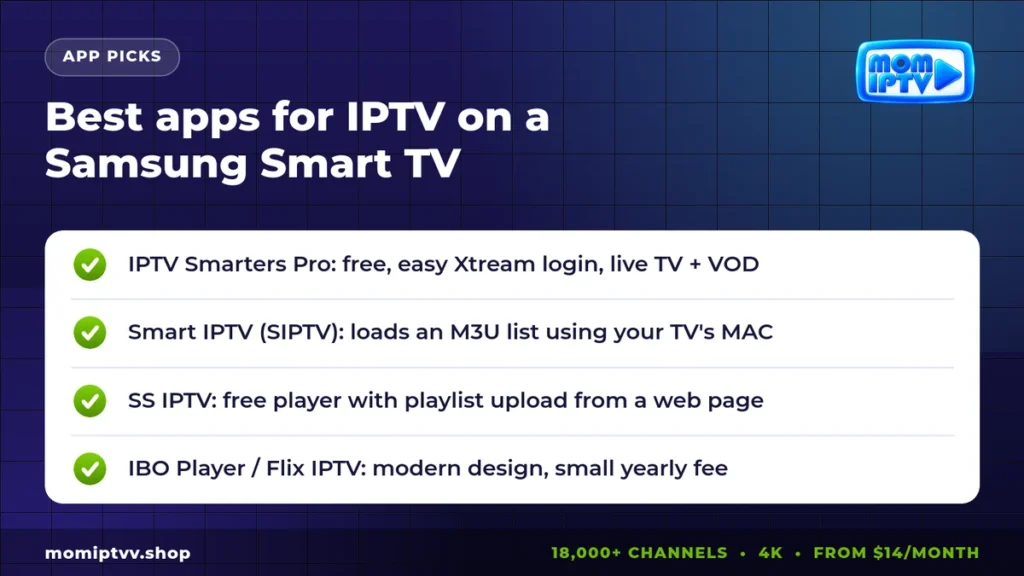
| App | Login type | Price | Best for |
|---|---|---|---|
| IPTV Smarters Pro | Xtream Codes or M3U | Free | Beginners, live TV + VOD menus |
| Smart IPTV (SIPTV) | M3U via MAC address | Small one-time fee | Very stable live channels |
| SS IPTV | M3U upload | Free | Simple, light player |
| IBO Player / Flix IPTV | M3U or Xtream via MAC | Small yearly fee | Modern design and EPG |
If you want the fastest start, choose IPTV Smarters Pro. If Smarters is not available in your region’s store, Smart IPTV is the most reliable alternative and has been on Samsung TVs for years. You can learn more about it on the official Smart IPTV website.
How to Set Up IPTV on a Samsung Smart TV, Step by Step
The steps below work for most Samsung models. Menu names can change slightly between years, but the logic stays the same.
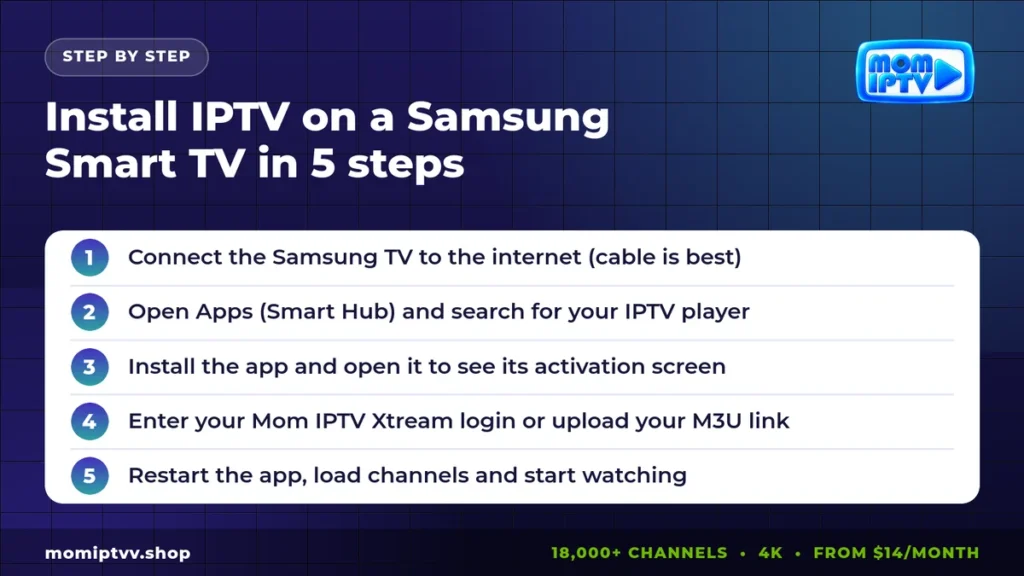
Step 1: Connect your Samsung TV to the internet
Go to Settings > General > Network > Open Network Settings. Choose Wired if you have a cable, or pick your Wi-Fi network and enter the password. Run the network test to confirm the connection works.
Step 2: Open the Samsung app store
Press the Home button, go to Apps and select the magnifying glass. Type the name of your player, for example “IPTV Smarters” or “Smart IPTV”.
Step 3: Install and open the app
Select Install. When the download ends, choose Open. Players that use a MAC address, such as Smart IPTV and IBO Player, will now show your TV’s MAC address on screen. Write it down.
Step 4: Add your IPTV login
This part depends on the app:
- IPTV Smarters Pro: choose Login with Xtream Codes API, then type the name (any name), username, password and server URL from your Mom IPTV welcome message.
- Smart IPTV: on your phone or PC, open the SIPTV playlist upload page, enter the TV’s MAC address and paste your M3U link.
- IBO Player: open the IBO website, enter the MAC address and device key shown on the TV, and add your playlist.
Step 5: Restart the app and start watching
Close the player and open it again so it downloads the channel list. The first load can take a minute because there are thousands of channels. Open the EPG to see what is on now, or jump to Movies and Series for on-demand titles.
That is all it takes to finish your IPTV Samsung Smart TV installation. If one of the steps looks different on your screen, send a photo of the screen to our team on WhatsApp support and we will guide you live.
Smart IPTV or IPTV Smarters on a Samsung TV?
Both apps are good. The right choice depends on the login your provider gives you and on how you like to browse.
- Choose IPTV Smarters Pro if you want separate menus for Live TV, Movies and Series, a built-in EPG and quick login with username and password.
- Choose Smart IPTV if you mostly watch live channels and want the most stable playback on older Samsung models. It needs an M3U link and a one-time activation after the trial.
For a deeper look at Smart IPTV on other devices, read our guide on how to setup Smart IPTV on any device.
Is IPTV on a Samsung Smart TV Legal?
The apps themselves are legal. IPTV Smarters, Smart IPTV and SS IPTV are only players, like VLC on a computer. What matters is the service you load into them. Always choose a provider that is transparent about its service, offers support and gives you a clear refund policy.
Laws are different in each country. If you are unsure, check the rules that apply where you live, or read our guide to legal IPTV providers.
Fixing Common IPTV Samsung Smart TV Problems
Most issues on a Samsung TV have a simple cause. Here are the fixes our support team uses every day.
The app is not in the Samsung store
App availability depends on your country setting. Try another player from the table above, or use a Firestick or Android box. Some users also change the Smart Hub region, but this resets your apps, so do it only if you know the steps.
Channels load but keep buffering
Switch to a network cable, restart your router and close other apps that download in the background. Check your speed with a tool like fast.com. If your speed is fine and buffering continues, ask us to move you to a backup server.
“Playlist not loaded” or empty channel list
Check that you copied the M3U link completely, without spaces. In Smarters, make sure the server URL includes http:// and the port number. Then restart the app.
No sound or no picture on some channels
Open the player settings and switch between the internal player and the native Samsung player. Some 4K channels also need a newer TV model; try the Full HD version of the same channel.
The EPG (TV guide) is empty
EPG data loads after the channels. Wait two to three minutes, then refresh the EPG from the settings menu. Make sure your TV’s date and time are set to automatic.
Tips for the Best Picture Quality on a Samsung TV
- Turn off motion smoothing (Auto Motion Plus) for sports if the picture looks unnatural.
- Pick Movie or Filmmaker picture mode for films and series.
- Use the 4K versions of channels only if your connection stays above 25 Mbps.
- Keep the TV software updated in Settings > Support > Software Update.
- Restart the TV fully once a week by holding the power button until the logo appears.
If you also watch on other screens, the same login works on phones, tablets and computers. See the best IPTV player apps for Android for your phone.
Ready to watch IPTV on your Samsung TV?
18,000+ live channels, 121,000+ movies & series, HD to 4K on every device. Plans from $14/month with a money-back guarantee of up to 45 days.
Get a Ready-to-Use IPTV Samsung Smart TV Login
Mom IPTV is built to work on Samsung TVs. Every plan includes the full channel list, the movie and series library, EPG, catch-up on many channels and HD to 4K quality. You receive both an M3U link and an Xtream Codes login, so you can use any player from this guide.
Not sure yet? Start with a free 24-hour IPTV trial and test it on your own Samsung TV. When you are happy, choose a plan on our Mom IPTV pricing page: from $14 per month, with up to 3 devices and a money-back guarantee of up to 45 days.
IPTV Samsung Smart TV: Frequently Asked Questions
Can I install IPTV on any Samsung Smart TV?
Most Samsung Smart TVs made from 2017 onward run Tizen OS and support at least one IPTV player in the Samsung app store. Older models may need a Firestick or an Android box instead.
What is the best IPTV app for a Samsung TV?
IPTV Smarters Pro is the easiest choice if your provider gives you an Xtream Codes login. Smart IPTV is ideal for M3U playlists. Both work with Mom IPTV.
Is the Smart IPTV app free on Samsung?
Smart IPTV offers a free trial period, then asks for a small one-time activation fee per TV. IPTV Smarters Pro and SS IPTV are free to install.
Why does my IPTV keep buffering on my Samsung TV?
Buffering usually comes from Wi-Fi. Use an Ethernet cable if you can, restart your router, and keep at least 25 Mbps for 4K channels. If it continues, our support team can switch you to a lighter stream.
Can I use the same IPTV login on my Samsung TV and my phone?
Yes, if your plan includes more than one device. Mom IPTV plans cover 1, 2 or 3 devices at the same time.
Final Thoughts
Installing IPTV on a Samsung Smart TV is simple: connect the TV, install a player such as IPTV Smarters Pro or Smart IPTV, add your login and restart the app. With a stable connection and a reliable provider, your Samsung TV becomes a complete live TV and movie center without any extra box.
If you get stuck, our team answers 24/7 on WhatsApp. And if you want to compare other ways to watch TV, read IPTV vs satellite TV next.