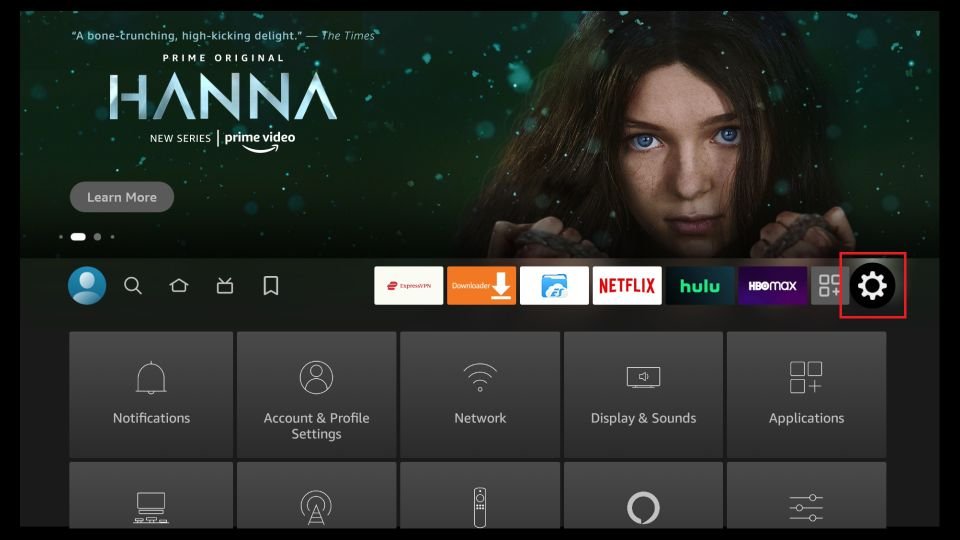
1Step 1
Open Settings
From the Fire TV home screen, move right to the gear icon and open Settings.

Choose your device below and follow the steps with screenshots to install Mom IPTV in a few minutes. Stuck at any step? Our team helps you live on WhatsApp, 24/7. The free Downloader app installs players on Firestick, and IPTV Smarters Pro works on phones, tablets and computers.
Follow these 19 steps to install IPTV Smarters Pro on your Fire TV Stick and log in to Mom IPTV. Parts 1 and 2 are done only once.
From the Fire TV home screen, move right to the gear icon and open Settings.
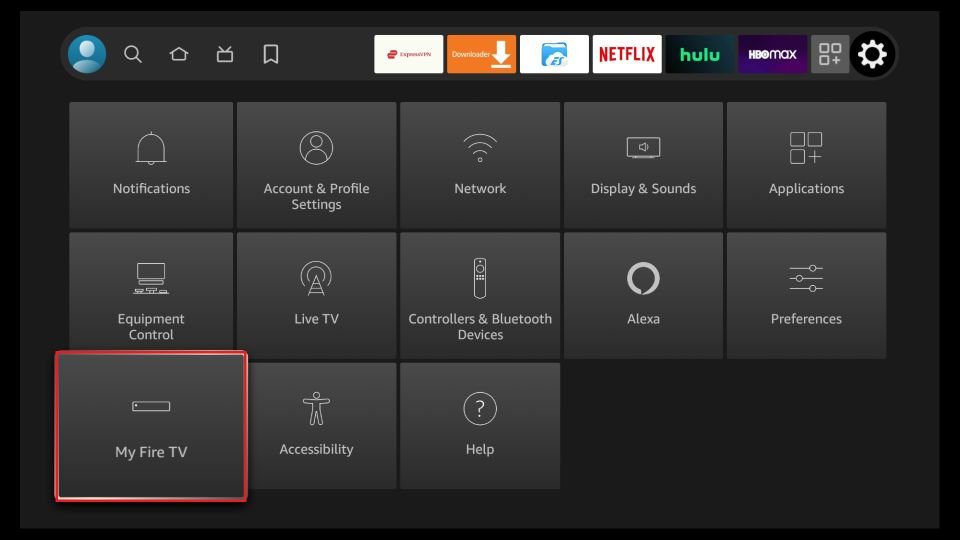
In Settings, choose My Fire TV.
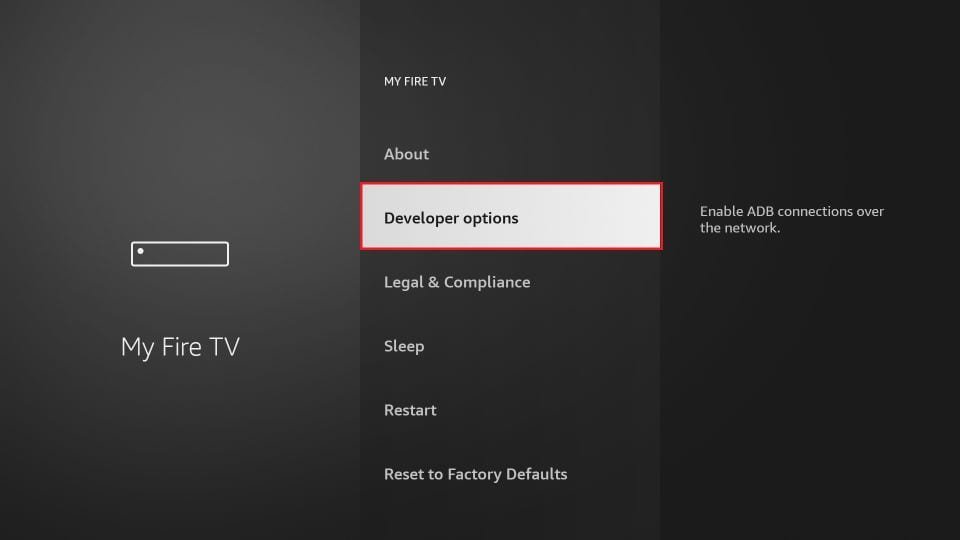
Select Developer Options. If you do not see it, open About, click your device name 7 times until you see "You are now a developer", then go back.
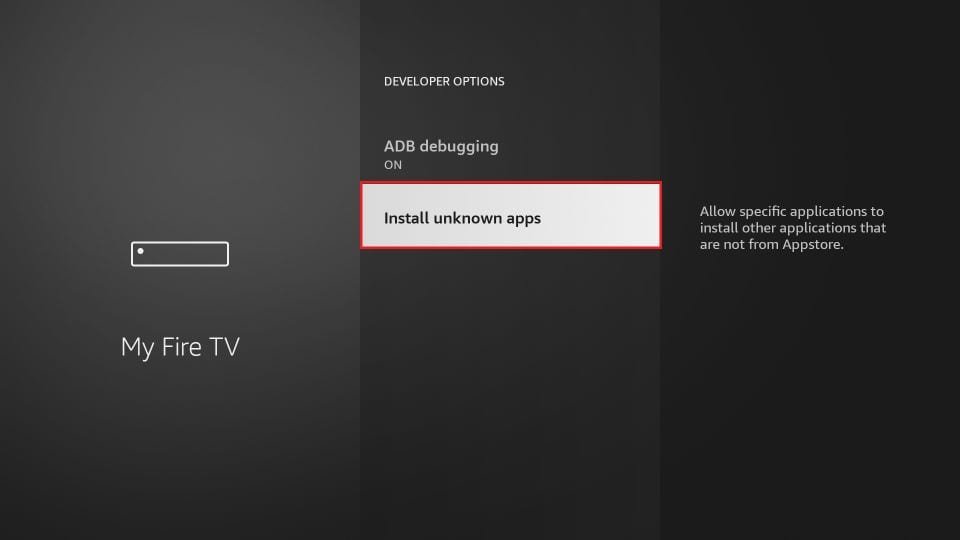
Inside Developer Options, select Install unknown apps.
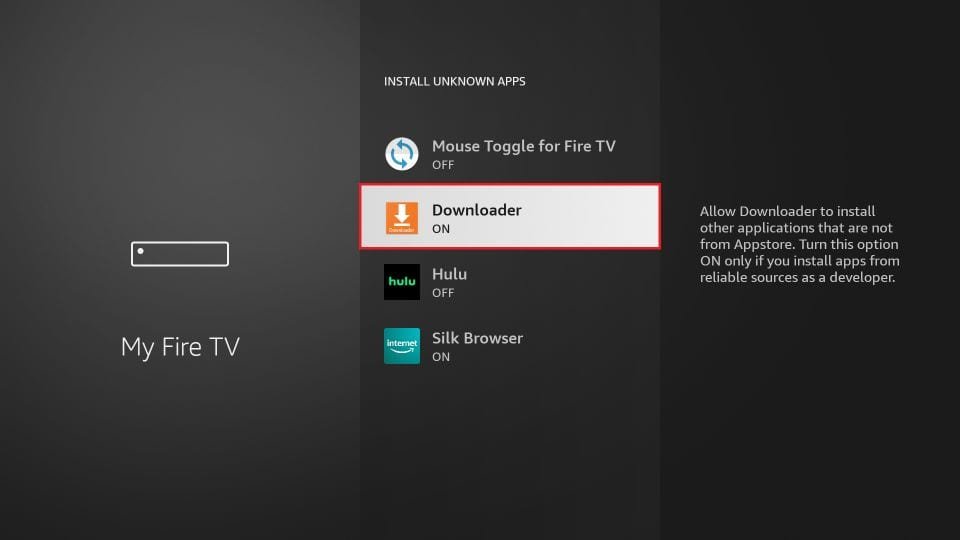
Find Downloader in the list and switch it to ON. Your Firestick can now install our player.
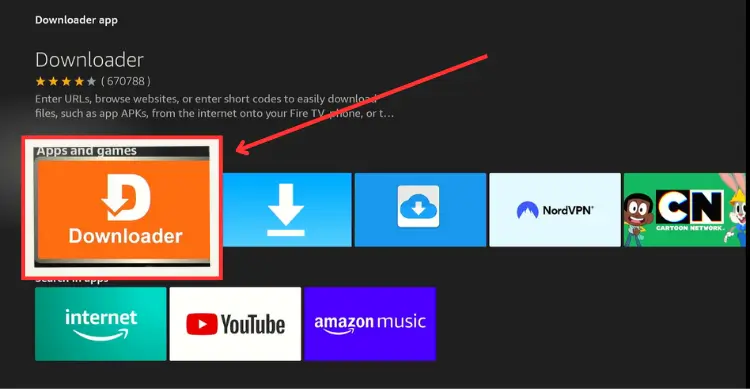
Go back to the home screen and open the Downloader app. Not installed yet? Search for "Downloader" and install it first.
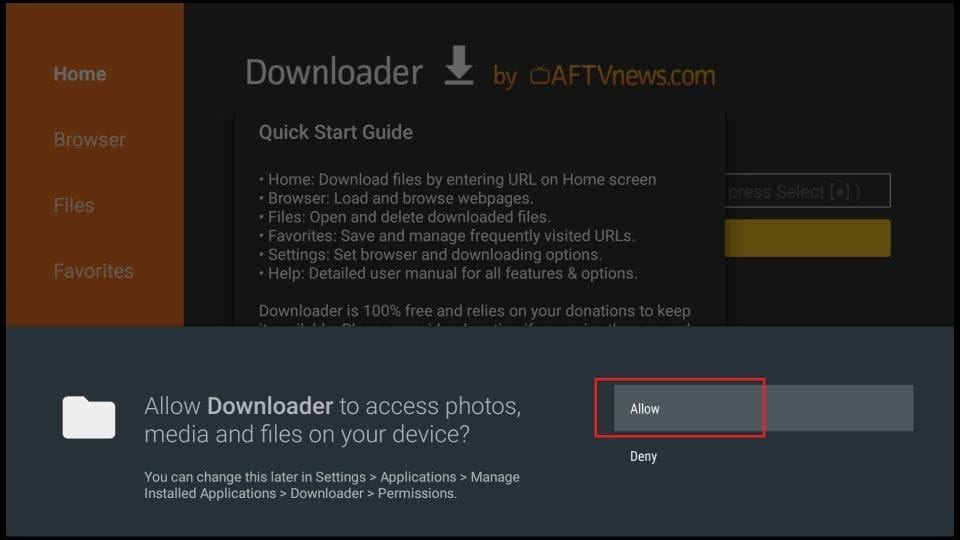
The first time you open Downloader, click Allow so it can save the install file.
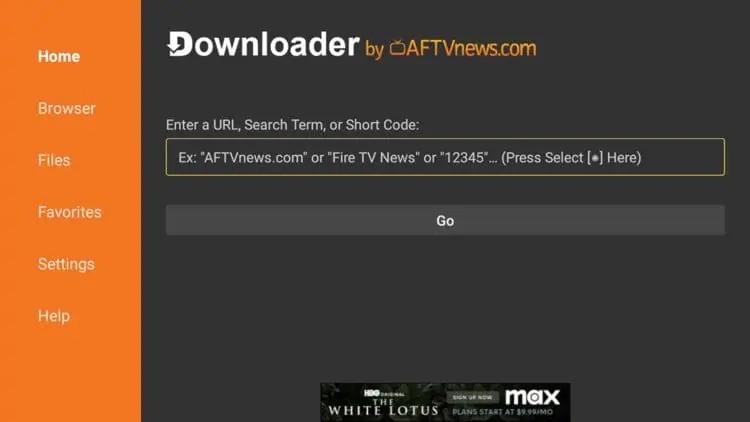
On the Downloader home screen, select the box where you type a web address or code.
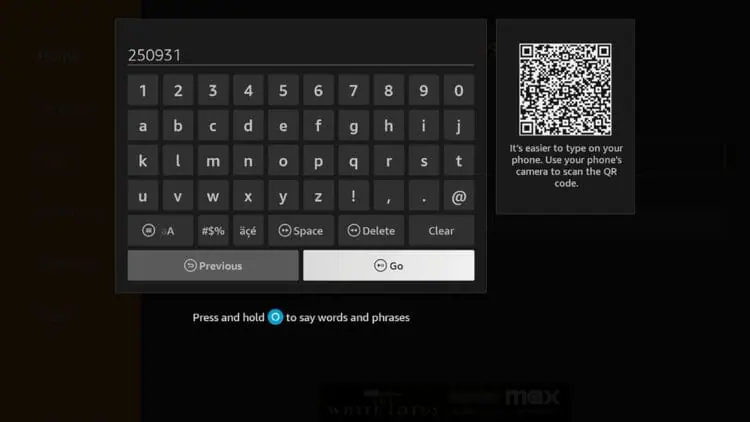
Enter the Downloader code we send you on WhatsApp with your login, then click Go.
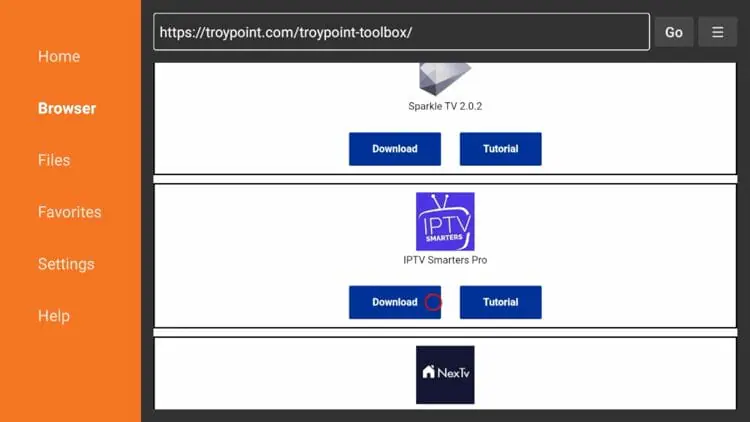
On the page that opens, scroll to IPTV Smarters Pro and click Download. Wait a few seconds.
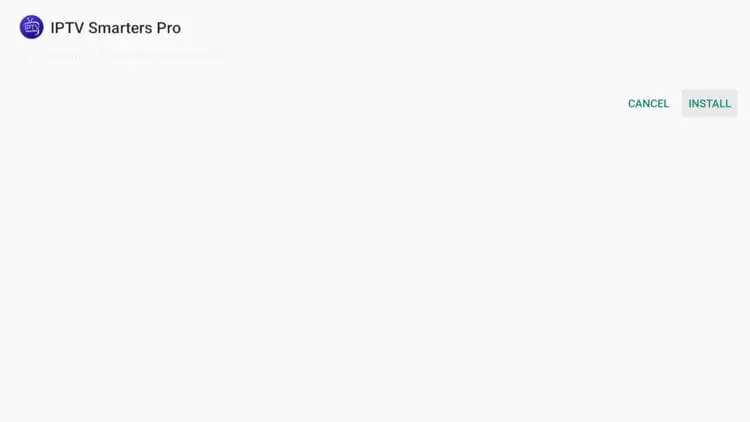
When the install screen appears, click Install.
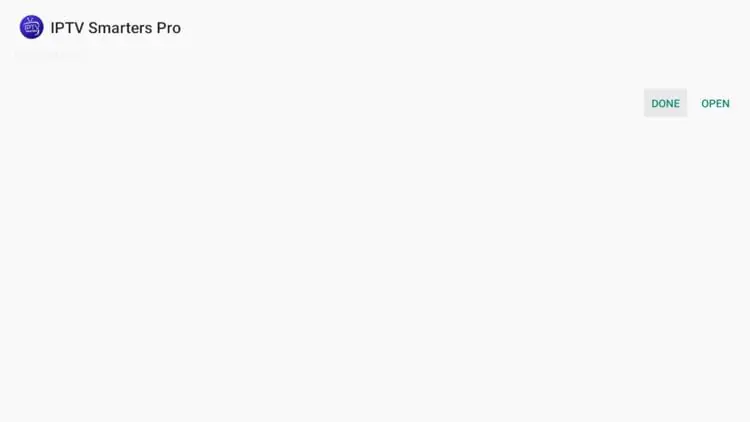
Once you see "App installed", click Done (not Open).
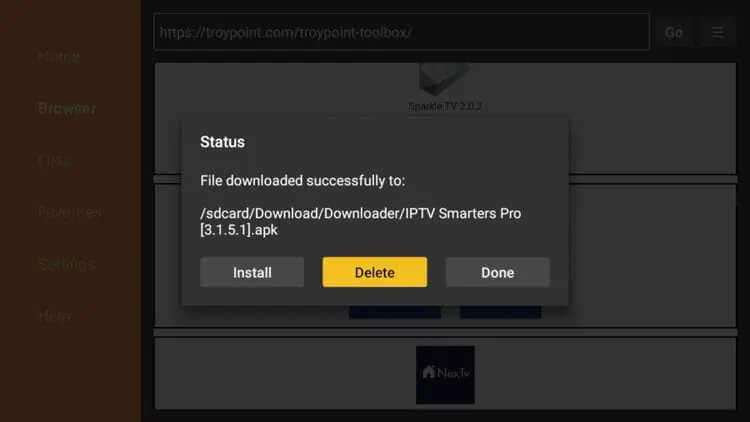
Back in Downloader, click Delete to free up storage on your Firestick.
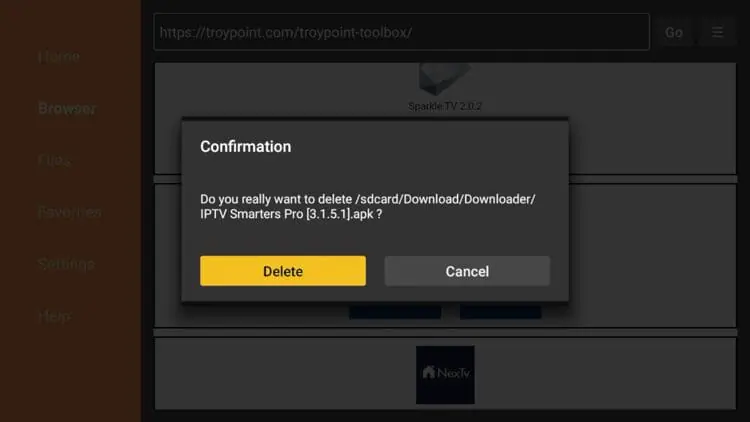
Click Delete again to confirm. The player stays installed.
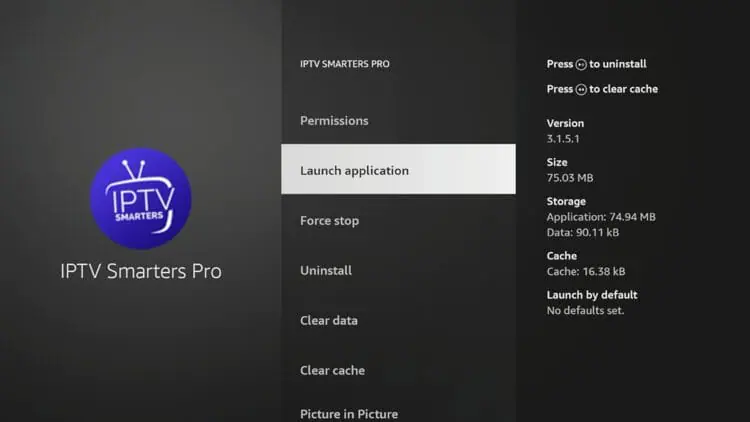
Go to Your Apps & Channels and open IPTV Smarters Pro.
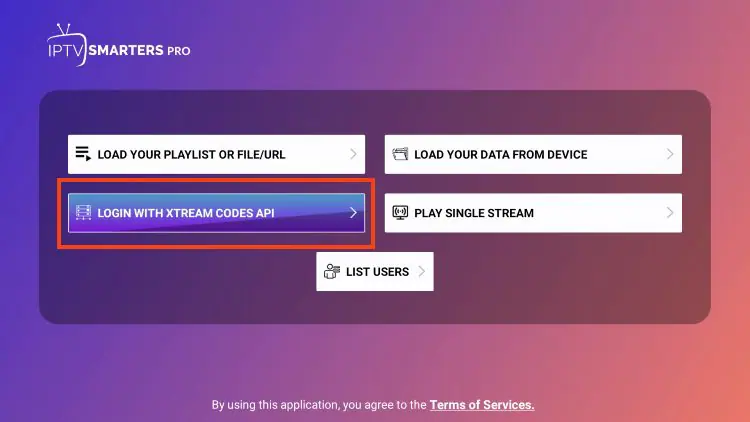
Select Login with Xtream Codes API (or Add New User, then Xtream Codes).
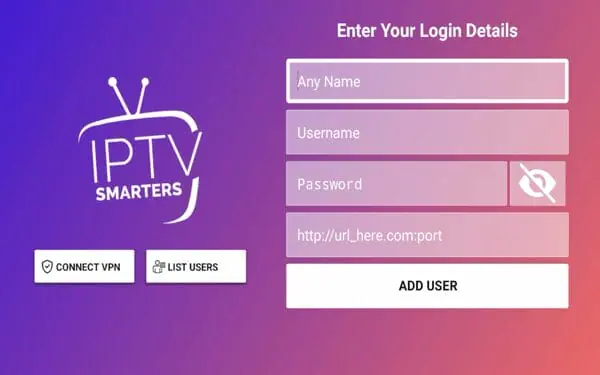
Type any name, then the Username, Password and Server URL exactly as we sent them. Every character counts, so check them twice.
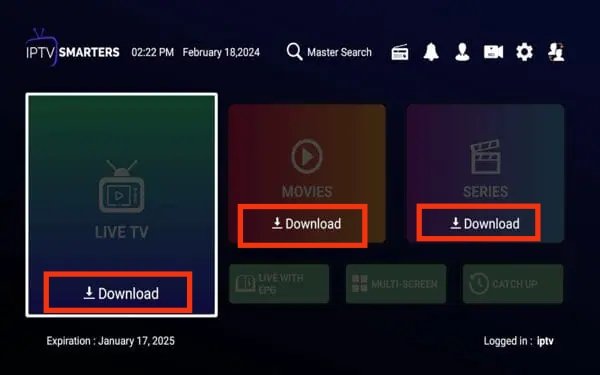
The app loads your channels, movies and series. This takes a minute the first time.
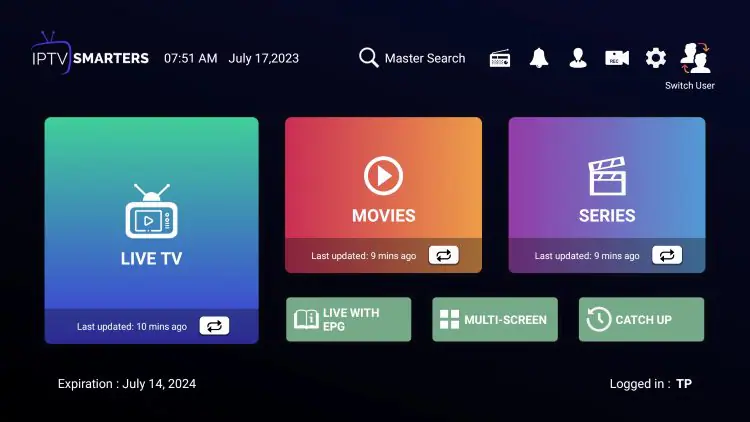
You are in. Open Live TV, Movies or Series and enjoy Mom IPTV on your Firestick.
Your Amazon Firestick is ready. All you need now is an active Mom IPTV subscription to unlock 18,000+ live channels and 121,000+ movies and series.
Samsung and LG TVs install an IPTV player from their own app store. No extra box is needed.
Connect the TV to the internet and press Home. Open Apps on Samsung or the LG Content Store on LG.

Search for IPTV Smarters Pro or IBO Player. Both work perfectly with Mom IPTV. Some players ask for a small one-time activation after their own trial.
Select the player and choose Install. It appears on your home screen or in My Apps.
Open the player. Apps like IBO Player show a MAC / Device ID and a Device Key. Write them down or send us a photo on WhatsApp.
We add your Mom IPTV playlist to the player for you, or you add it yourself on the player website with the M3U link we send.
In IPTV Smarters, choose Login with Xtream Codes API and enter your Username, Password and Server URL.
Close and reopen the app. Your channels, movies and series load and you are ready to watch.
Your Smart TV (LG / Samsung) is ready. All you need now is an active Mom IPTV subscription to unlock 18,000+ live channels and 121,000+ movies and series.
Watch on phones, tablets and Android TV boxes with IPTV Smarters. Choose your system below.
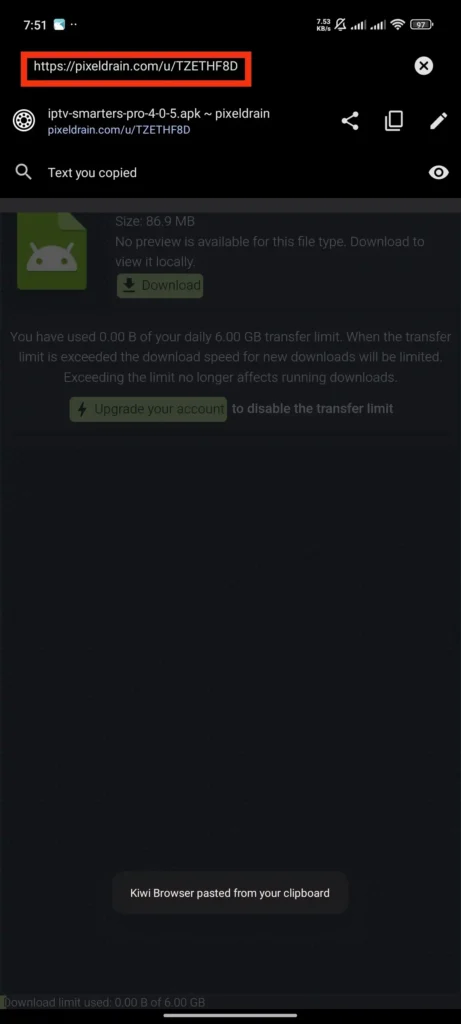
Open Google Play and search for IPTV Smarters Pro. If it is not listed on your device, ask us on WhatsApp for the official download link.
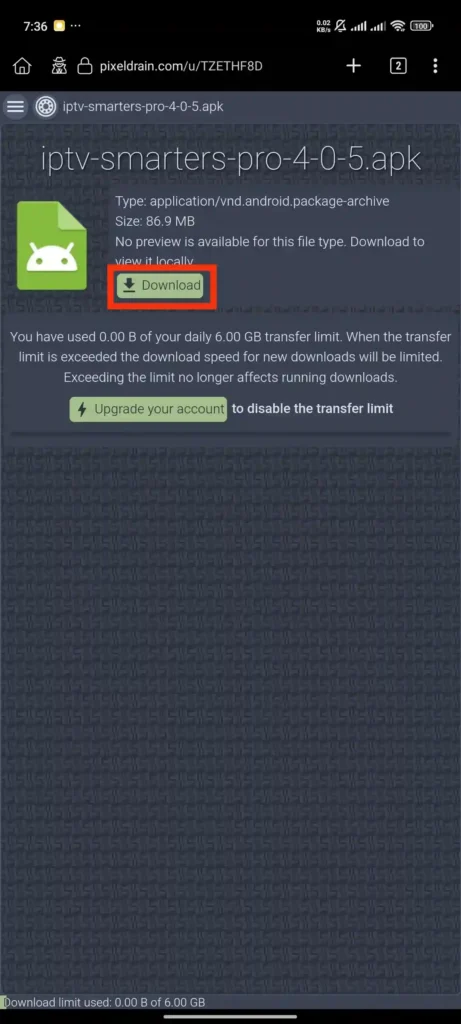
Open the IPTV Smarters Pro page and tap Install.
If you install from a file, allow your device to install apps from that source when asked, then finish the install.
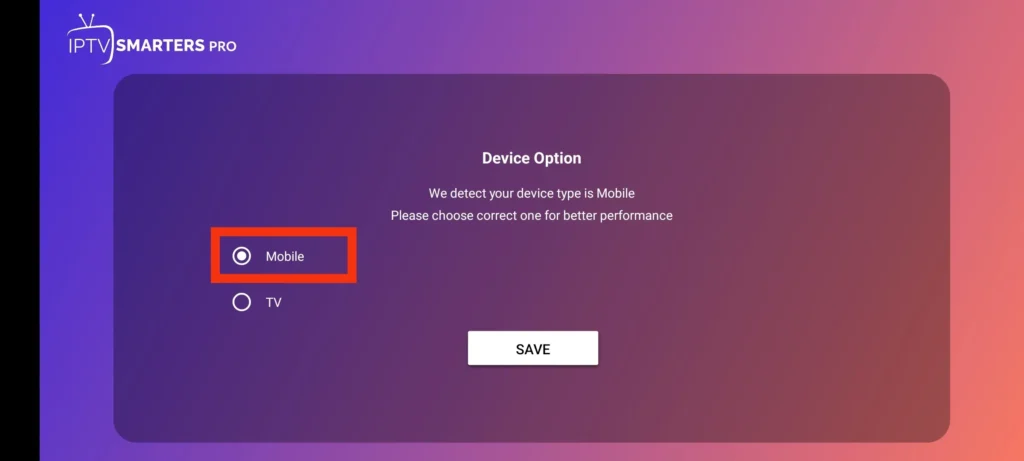
Open IPTV Smarters Pro. On the first screen, choose Mobile (or TV on an Android box).
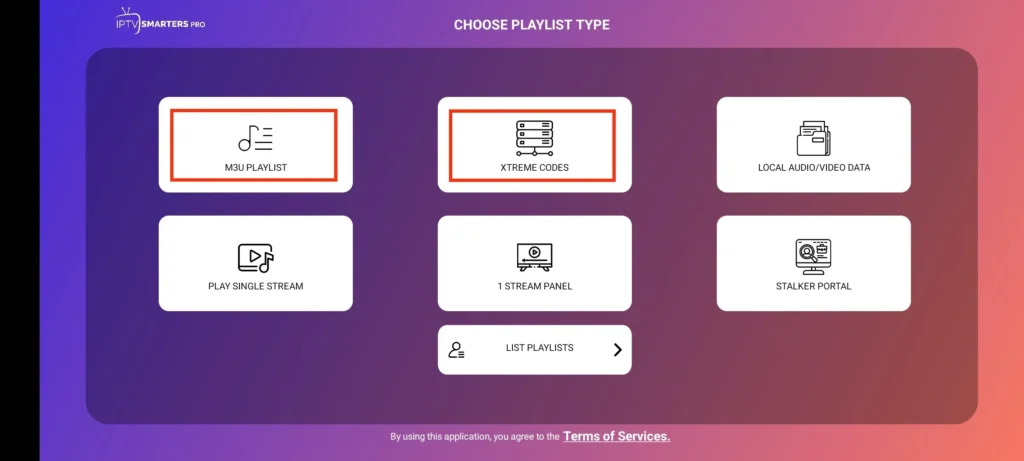
Select Login with Xtream Codes API, the fastest and most reliable method.

Type a name, your Username, Password and Server URL, then tap Add User.
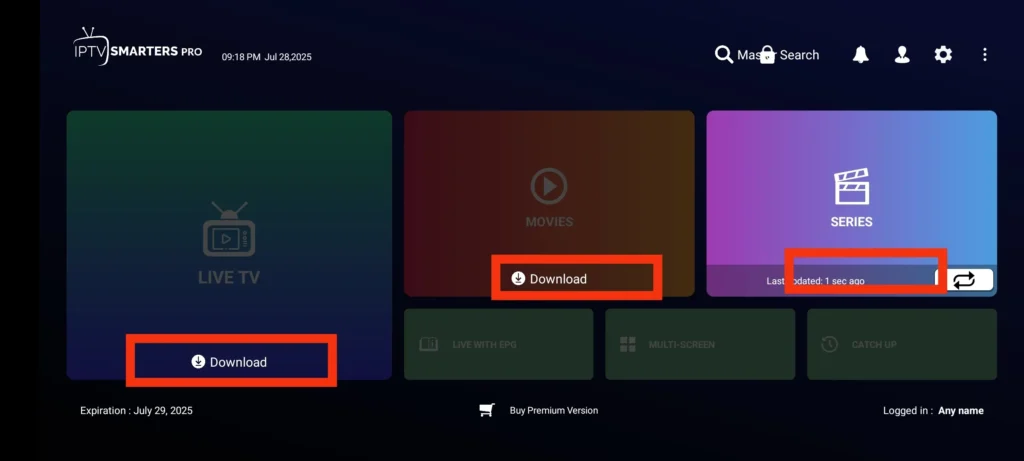
The app downloads your channels, movies and series. Wait a minute.
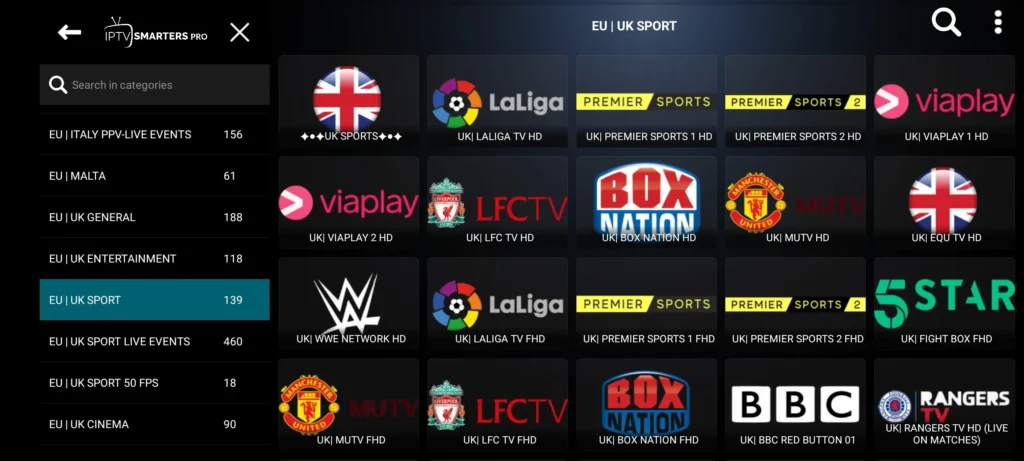
Everything is ready. Open Live TV and enjoy.

Open the App Store and search for Smarters Player Lite.
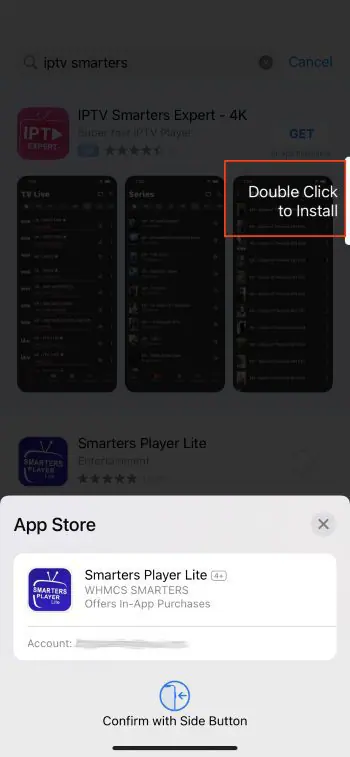
Tap Get, wait for the install, then open Smarters Player from your home screen.
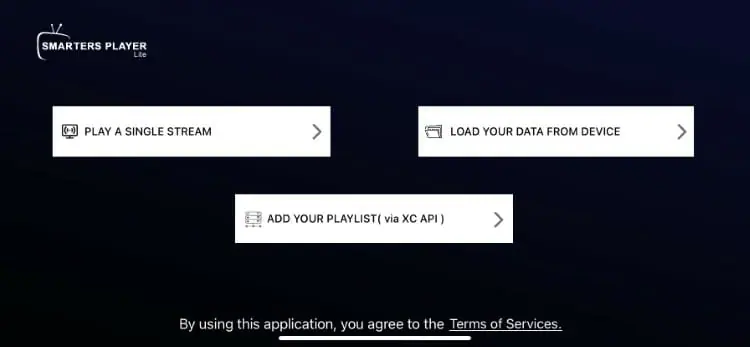
Accept the terms and choose Login with Xtream Codes API.
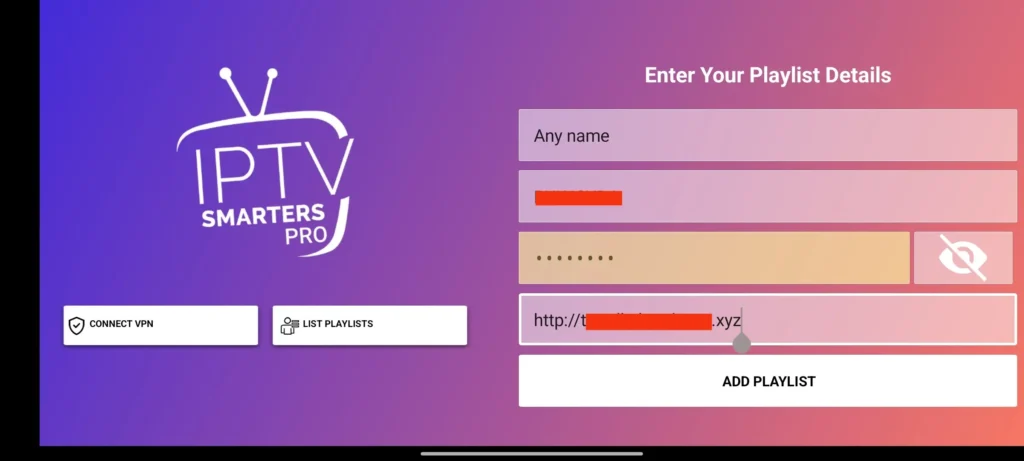
Type your Username, Password and Server URL. Check the server URL carefully, then tap Add User.
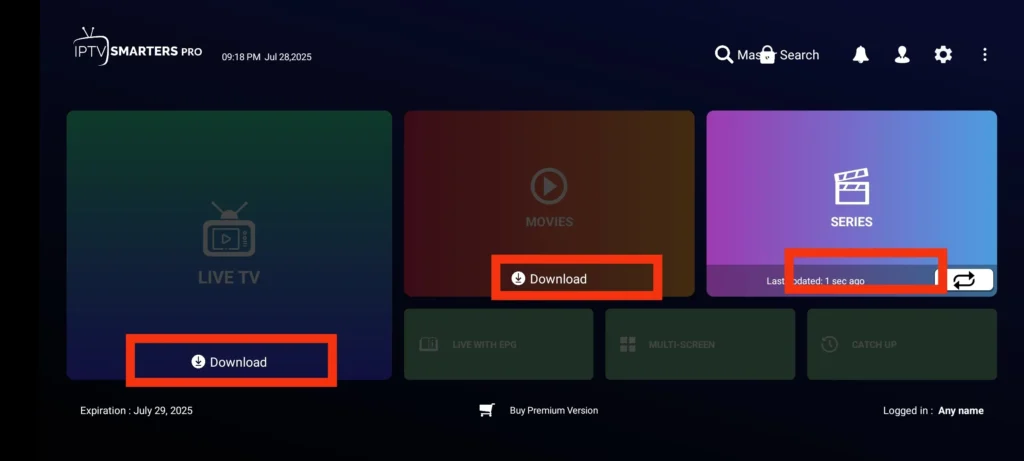
Your channel list loads and you can start watching right away.
Your Android / iOS is ready. All you need now is an active Mom IPTV subscription to unlock 18,000+ live channels and 121,000+ movies and series.
Use the desktop version of IPTV Smarters Pro to watch on your computer.
On your browser, go to the official IPTV Smarters website and download the version for Windows or macOS, then install it.
Launch IPTV Smarters Pro from your desktop or Applications folder.
Click Login with Xtream Codes API. It loads the TV guide (EPG) automatically.
Playlist name: any name, e.g. Mom IPTV. Then paste the Username, Password and Server URL from your message.
Click Add User. After a short download, the dashboard opens and you can start streaming.
Your Laptops & PC is ready. All you need now is an active Mom IPTV subscription to unlock 18,000+ live channels and 121,000+ movies and series.
Apple TV 4K and HD run Smarters Player Lite from the App Store.
From the Apple TV home screen, open the App Store.
Use the search to find Smarters Player Lite.
Select the app and click Get. It installs automatically.
Open Smarters Player Lite and accept the terms.
Select Login with Xtream Codes API.
Type a name (Mom IPTV), your Username, Password and Server URL. Double-check each field.
Click Add User. Channels, movies and series load and you can start watching.
Your Apple TV is ready. All you need now is an active Mom IPTV subscription to unlock 18,000+ live channels and 121,000+ movies and series.
MAG boxes (250, 254, 256, 322, 324, 524) connect through a portal linked to your MAC address. Send us your MAC address first.
Connect the box to your TV with HDMI and to your router with a network cable for the most stable picture, then power it on.
On the home screen, press the Settings button (gear icon) on your remote.
Highlight System Settings and press OK.
Select Servers, then Portals.
In Portal 1 name, type Mom IPTV.
In Portal 1 URL, type the portal address we sent you, exactly as written.
Press OK to save, go back and restart the box.
After the restart the portal loads with Live TV, Movies and Series. You are ready.
Your MAG Box is ready. All you need now is an active Mom IPTV subscription to unlock 18,000+ live channels and 121,000+ movies and series.
Enigma2 receivers install Mom IPTV with a one-line command sent through Telnet or SSH.
After your order, ask us on WhatsApp for your personal Enigma2 command. Copy it somewhere safe.

On the receiver, go to Menu > Information > Network and note the IP address (e.g. 192.168.1.15).
Windows: open PuTTY, enter the IP, choose Telnet and click Open. Mac / Linux: open Terminal and type telnet followed by the IP.
Type root as the login. If a password is asked, leave it empty or try root.
Paste the command we sent (right-click in PuTTY, Cmd+V on Mac) and press Enter.
The script downloads your Mom IPTV bouquets. Keep the window open until it finishes.
On the remote go to Menu > Standby / Restart > Restart GUI.
Press TV or Bouquet on the remote, open the Mom IPTV folders and start watching.
Your Enigma2 is ready. All you need now is an active Mom IPTV subscription to unlock 18,000+ live channels and 121,000+ movies and series.
IPTV Smarters Pro works on almost every device and is the player we use in these guides. TiviMate (Firestick and Android TV) and IBO Player (Smart TV) are good alternatives, and your login works in all of them.
Use Xtream Codes when your app supports it. It loads channels, movies, series, the TV guide and catch-up automatically. Use the M3U link for players that only accept playlists.
Yes. You can install it on as many devices as you like. The number of screens that can watch at the same time depends on your plan: 1, 2 or 3 devices.
We send your Username, Password, Server URL and M3U link on WhatsApp and by email as soon as your payment is confirmed.
About 10 Mbps for HD and 25 Mbps or more for 4K. A cable connection gives the most stable picture on TVs.
Check that the username, password and server URL are typed exactly as sent, with no extra spaces. If it still fails, message us on WhatsApp and we fix it with you.
Need help with the installation? Our support team is available 24/7.