
Choosing the best IPTV router is one of the cheapest ways to stop buffering for good. Many people blame their IPTV service when the real problem is an old router that cannot keep up with several HD and 4K streams, phones, game consoles and laptops all at once.
This guide explains which router features matter for IPTV, which types of router we recommend for different homes, how much bandwidth you need and the settings that make the biggest difference.
Key takeaways
- A router with Wi-Fi 6, gigabit ports and QoS solves most home IPTV buffering.
- Connect your main TV with an Ethernet cable whenever you can.
- Plan 10 Mbps per HD stream and 25 Mbps per 4K stream.
- Test your setup with a free Mom IPTV trial before you spend money on new hardware.
Table of Contents
Why a Regular Router Struggles With IPTV
Live TV is one of the most demanding things your network does. A web page can load in pieces and nobody notices a delay. A live stream cannot pause: if data arrives late, the picture freezes.
Routers supplied free by internet companies are often built to a low price. They have small processors, little memory and older Wi-Fi standards. When three people stream, one downloads a game update and another is on a video call, the IPTV router becomes the bottleneck. The result is buffering, even when your internet plan is fast enough.
An IPTV router does not need to be expensive. It needs the right features, which we list below.
What Makes an IPTV Router Good?
Here are the seven features we look for when customers ask us for advice.
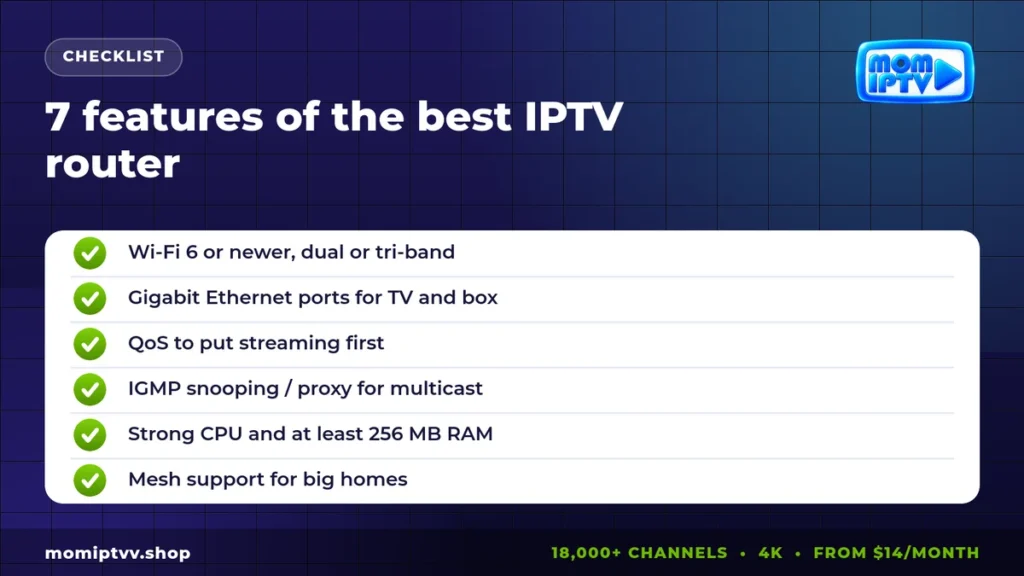
1. Wi-Fi 6 or newer
Wi-Fi 6 (802.11ax) handles many devices at the same time far better than Wi-Fi 5. Wi-Fi 6E and Wi-Fi 7 add more channels and less interference. The Wi-Fi Alliance explains the differences between generations.
2. Dual-band or tri-band radio
The 5 GHz band is faster and less crowded than 2.4 GHz. Put your TV, Firestick or Android box on 5 GHz and leave 2.4 GHz for smart plugs and older devices.
3. Gigabit Ethernet ports
Gigabit (1000 Mbps) ports let you connect your TV, box or console with a cable at full speed. A 2.5 Gbps WAN port is a bonus if your internet plan is faster than 1 Gbps.
4. QoS (Quality of Service)
QoS lets the IPTV router give streaming traffic priority over downloads and updates. With QoS on, a big game download in the next room does not freeze your live match.
5. IGMP snooping and IGMP proxy
These settings manage multicast traffic. They matter most if your internet company provides its own TV service over multicast. For internet-based IPTV services, they are less important but still nice to have.
6. A strong processor and enough memory
A multi-core CPU and at least 256 MB of RAM keep the IPTV router responsive when many devices are online. Cheap routers often freeze or reboot in the evening for this reason.
7. Mesh support for larger homes
If your TV is far from the IPTV router, or on another floor, a mesh system with two or three units gives stable coverage everywhere. Choose a mesh kit with a wired backhaul option if possible.
How Much Bandwidth Do You Need for IPTV?
Your router can only deliver the speed your internet plan provides. Use this table to estimate what your home needs.
| Streams at the same time | HD | 4K |
|---|---|---|
| 1 screen | 10 Mbps | 25 Mbps |
| 2 screens | 20 Mbps | 50 Mbps |
| 3 screens | 30 Mbps | 75 Mbps |
Add a margin of 20 to 30 percent for phones, laptops and updates. Measure your real speed on Speedtest in the evening, when networks are busiest.
The Best IPTV Router Types for Your Home
Instead of chasing one model that will be replaced next year, choose the right type of router for your home. Major brands such as ASUS, TP-Link and Netgear all make good options in each group.
Best for apartments and small homes
A single dual-band Wi-Fi 6 router with four gigabit ports and QoS. It covers one or two rooms easily and costs little. Put it near the TV and connect the TV by cable.
Best for families and heavy users
A tri-band Wi-Fi 6E or Wi-Fi 7 router with a fast processor, adaptive QoS and a 2.5 Gbps port. It handles several 4K streams, gaming and video calls at the same time.
Best for large homes and several floors
A Wi-Fi 6 or 6E mesh system with two or three nodes. Place one node near each TV. If you can run a cable between nodes, performance improves even more.
Best budget upgrade
If you are happy with your internet company’s router, add an affordable Wi-Fi 6 access point or a powerline kit near the TV. It is a cheap way to fix a weak signal in one room.
How to Set Up Your IPTV Router
- Place the IPTV router in an open, central spot, high up and away from metal furniture and microwaves.
- Update the firmware from the IPTV router app or web page before anything else.
- Use separate names for 2.4 GHz and 5 GHz so you can connect your TV to 5 GHz on purpose.
- Turn on QoS and set streaming or your TV device as high priority.
- Enable IGMP snooping if your router offers it.
- Connect the main TV with an Ethernet cable, Cat 6 if possible.
- Set DNS to a fast public resolver if your provider’s DNS is slow.
- Restart the IPTV router once a week, or schedule an automatic reboot at night.
Wired vs Wireless: Which Is Better for IPTV?
A cable always wins for the main TV. It gives full speed, very low delay and no interference. Wi-Fi is perfect for phones, tablets and second TVs that are close to the router.
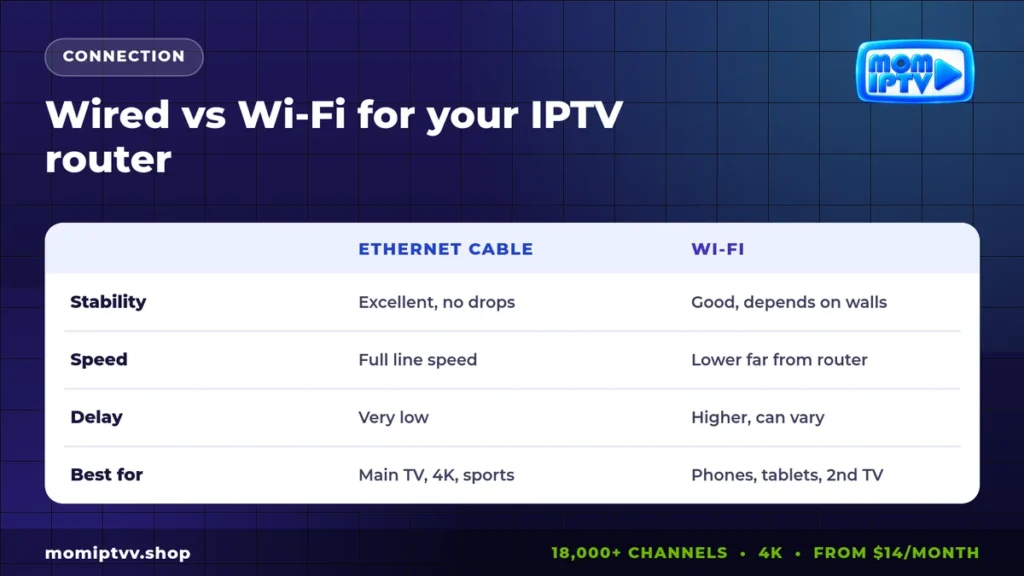
If you cannot run a cable, a powerline adapter or a mesh node with a wired port next to the TV is a good middle ground.
Common Buffering Problems and Router Fixes
Buffering only in the evening
Your network or your internet line is busy. Turn on QoS, pause big downloads during matches and check your speed at that hour.
Buffering on one TV only
The signal is weak in that room. Connect a cable, move the router or add a mesh node.
Picture freezes every few minutes
The router may be overheating or overloaded. Make sure it has air around it, update the firmware and restart it. If it is more than five years old, it is time to replace it.
Everything is fine except some channels
The issue is probably not your router. Contact your IPTV support. At Mom IPTV, we can move you to a backup stream within minutes on WhatsApp.
Router Tips for Firestick and Android Boxes
- Fire TV sticks have weak Wi-Fi antennas. Use the official Ethernet adapter for your main TV.
- Clear the app cache every few weeks to keep the player fast.
- Set the video resolution in the player to match your TV, not higher.
- Follow our Mom IPTV setup guide to install the best player on each device.
Great router, great channels: test Mom IPTV free
18,000+ live channels, 121,000+ movies & series, HD to 4K on every device. Plans from $14/month with a money-back guarantee of up to 45 days.
Our Verdict: The Best IPTV Router for You
The best IPTV router is the one that matches your home: a Wi-Fi 6 router with QoS and gigabit ports for most apartments, a tri-band model for busy families and a mesh system for large houses. Combine it with a cable to the main TV and you remove almost every cause of home buffering.
Then pair it with a provider that runs stable servers. Mom IPTV uses load-balanced servers with backup streams, and you can test it on your own network with a free 24-hour trial. See all Mom IPTV plans from $14 per month.
Best IPTV Router FAQ
Do I need a special router for IPTV?
Not always. Any modern router can stream IPTV. But a router with Wi-Fi 6, gigabit ports and QoS handles several streams and busy evenings much better, which reduces buffering.
What is IGMP snooping and do I need it?
IGMP snooping manages multicast traffic so it only goes to devices that asked for it. It matters mostly for operator IPTV that uses multicast. For internet IPTV services such as Mom IPTV, QoS and a stable connection matter more.
Is Wi-Fi 6 enough for 4K IPTV?
Yes. Wi-Fi 6 easily carries 4K streams in the same room or one room away. For the main TV, an Ethernet cable is still the most stable choice.
How much speed do I need for IPTV?
Around 10 Mbps per HD stream and 25 Mbps per 4K stream. Add the needs of every screen that watches at the same time.
Will a new router fix all IPTV buffering?
It fixes buffering caused by weak Wi-Fi or an overloaded old router. If the problem comes from your internet line or the provider’s server, contact your internet company or your IPTV support.
Final Thoughts
A good router is not a luxury for IPTV, it is the foundation. Invest in the right features, use cables where they matter and keep the firmware up to date. Your channels will start faster, switch quicker and stay sharp through the biggest matches of the year.
Want to compare IPTV with other ways of watching? Read IPTV vs satellite TV and IPTV vs internet TV.